Know what's below.
Before you dig.
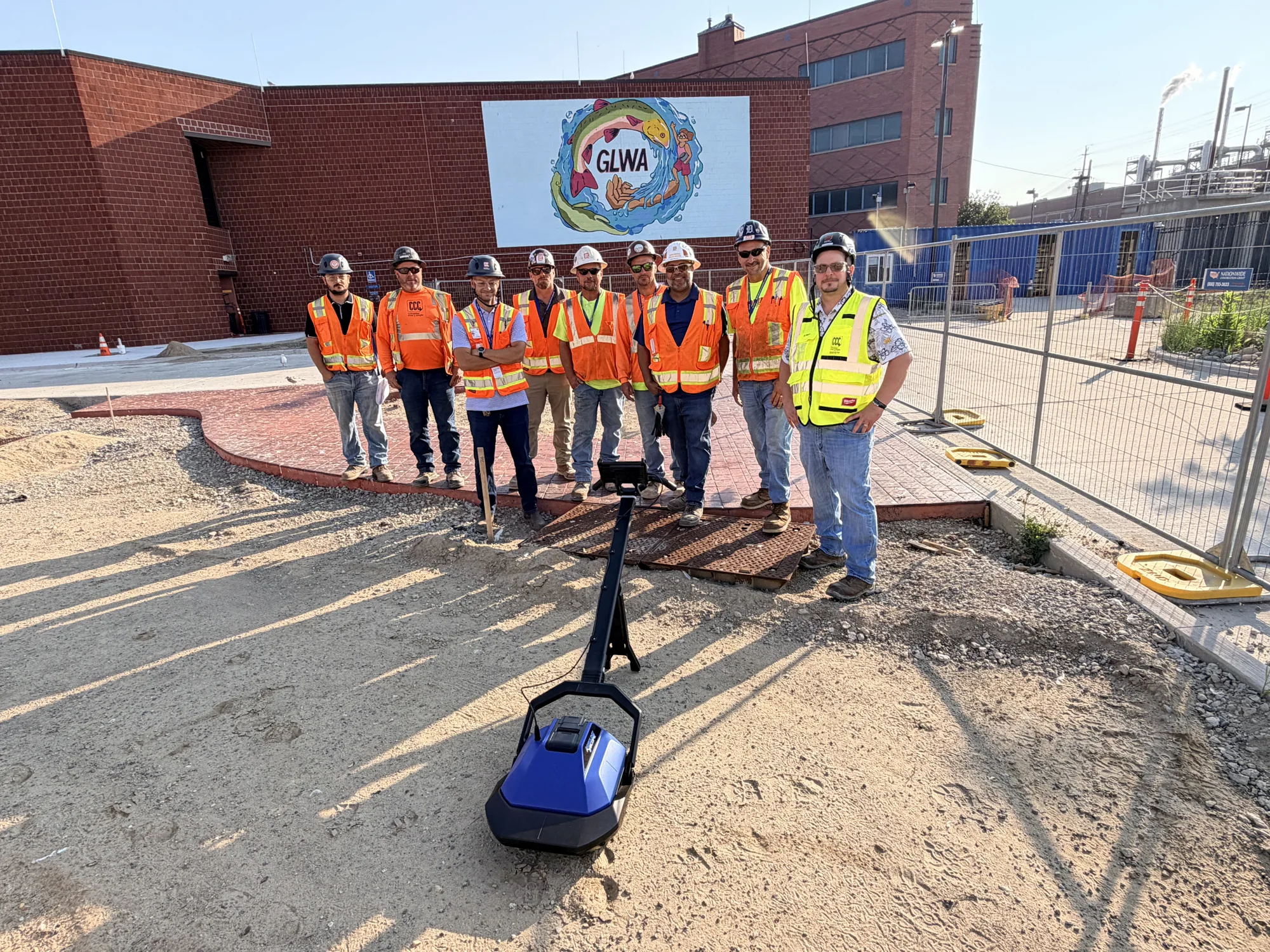
GroundScope adds a final pre‑dig verification step, with real-time AI insight at the point of excavation.
Your command center, at the trench.
Scan as you dig. Stop strikes before they happen.
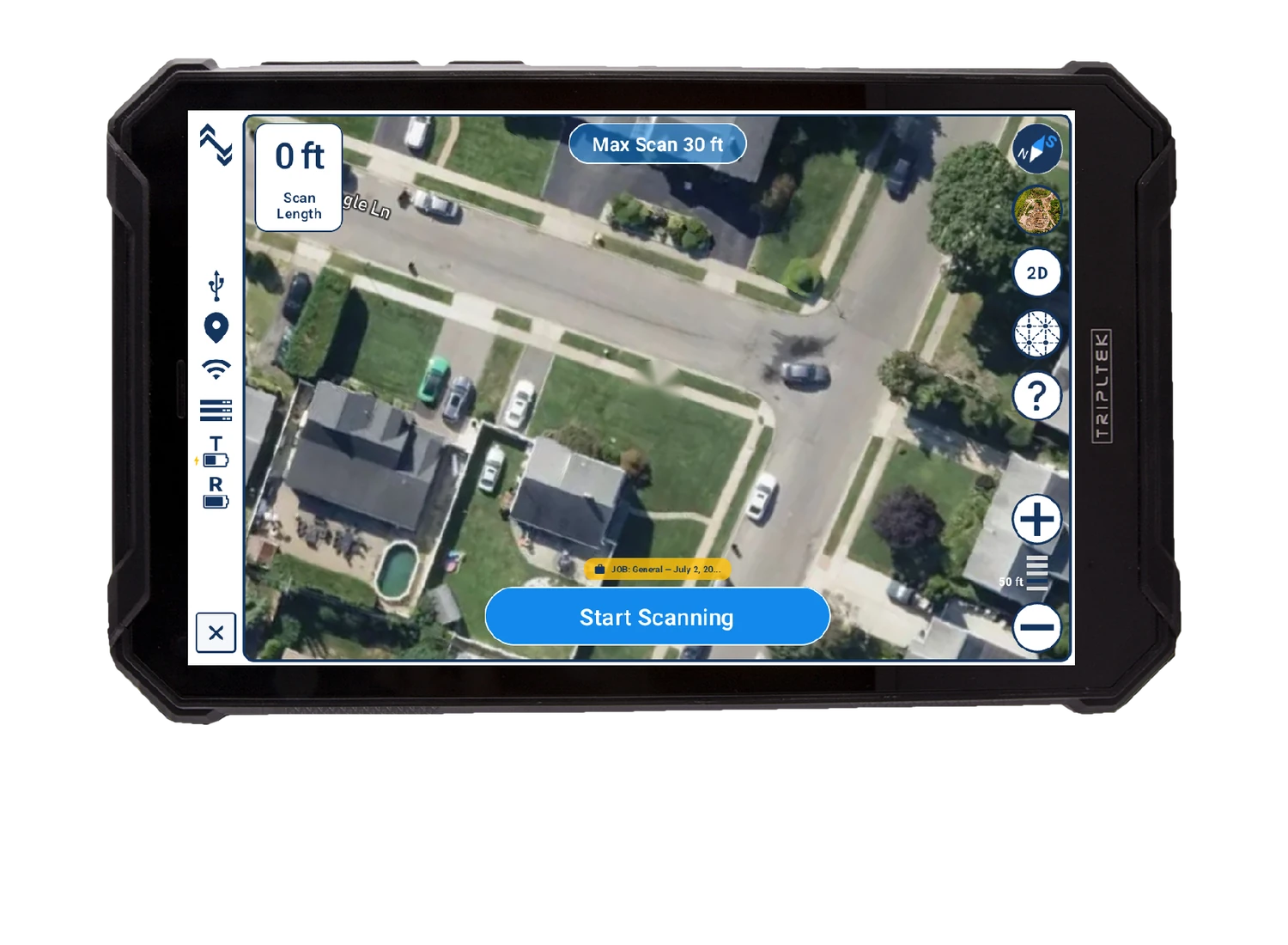
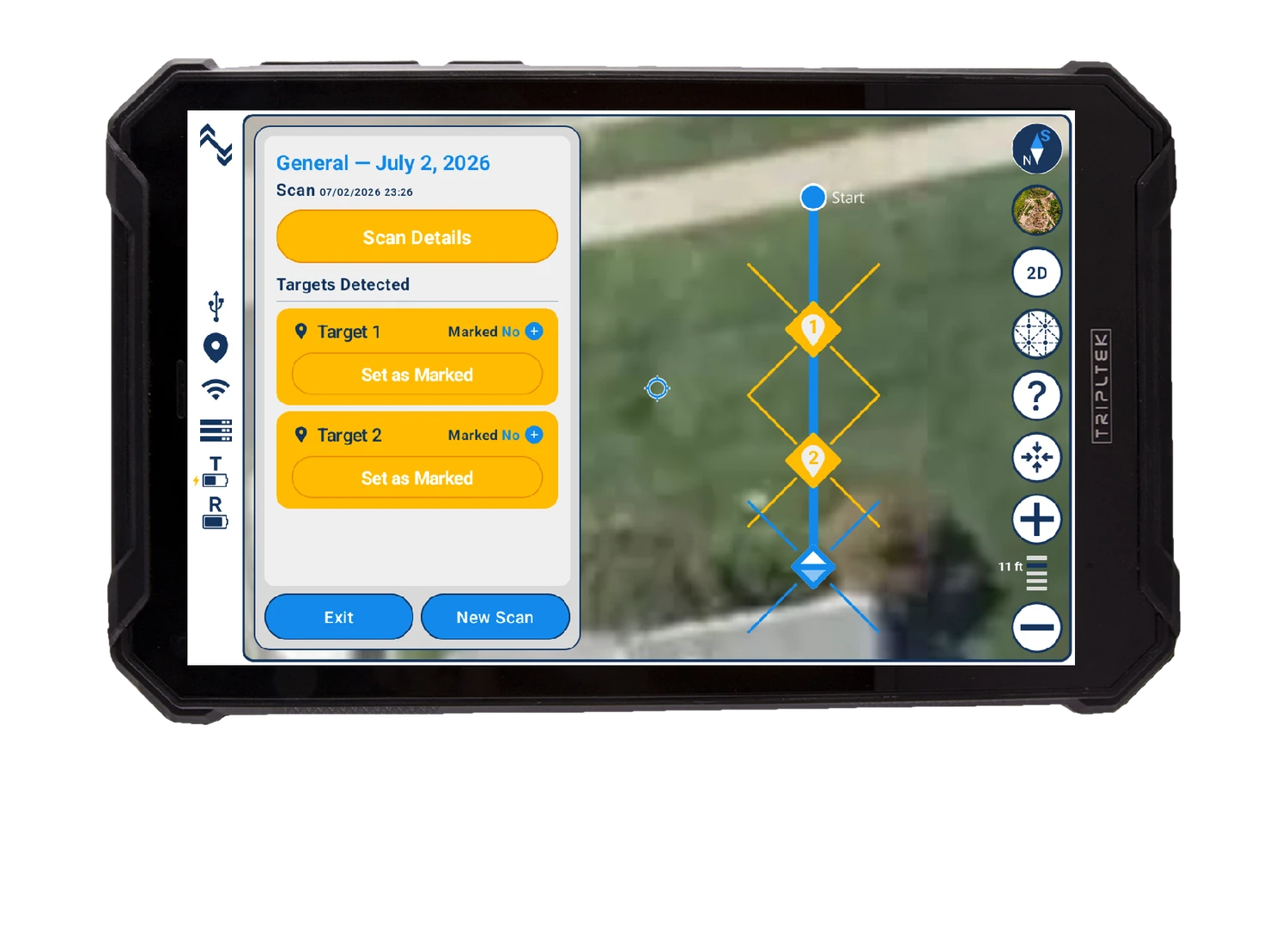
Everything runs on one rugged tablet on the handle, with three buttons between a crew and an answer.
 0 ft
Start Scanning
0 ft
Start Scanning
- 1
Walk and scan
Live GPS map. Set your line, press start, walk.
- 2
AI processing
UtiliSense analyzes the scan in the cloud. Seconds, not days.
- 3
Dig with confidence
Targets pinned to about 3 cm. Mark, record, and move on.
A buried utility is struck every 6 minutes.
Every excavation follows a process. But at the point of dig, you are still making a decision without full certainty.
GroundScope introduces a new step built for the moment that matters most.
Can I dig here, right now?
Call 811
Utility owners mark where their records say the lines run.
GPR survey
A specialist scans the site once. A snapshot of that day, and often skipped.
 The missing layerStep 3 · Seconds before
Verify the dig point
The crew scans the exact spot, right before the bucket goes in. It confirms steps 1 and 2, or catches what they missed.

Break ground
The only step where damage can happen. Whatever was missed, the bucket finds.
Scan while you dig. Always looking ahead.
Scan the surface and dig what it cleared. Then set the unit in the trench and scan again. Each pass clears the next layer before the bucket takes it.
Scanning from inside the dig keeps working in clay, wet ground, and mixed fill, where a survey from the surface loses its signal.
- ScanThe surface
- DigWhat it cleared
- ScanIn the trench
- DigDeeper
- RepeatTo depth
 Drag to spin

GSX1000
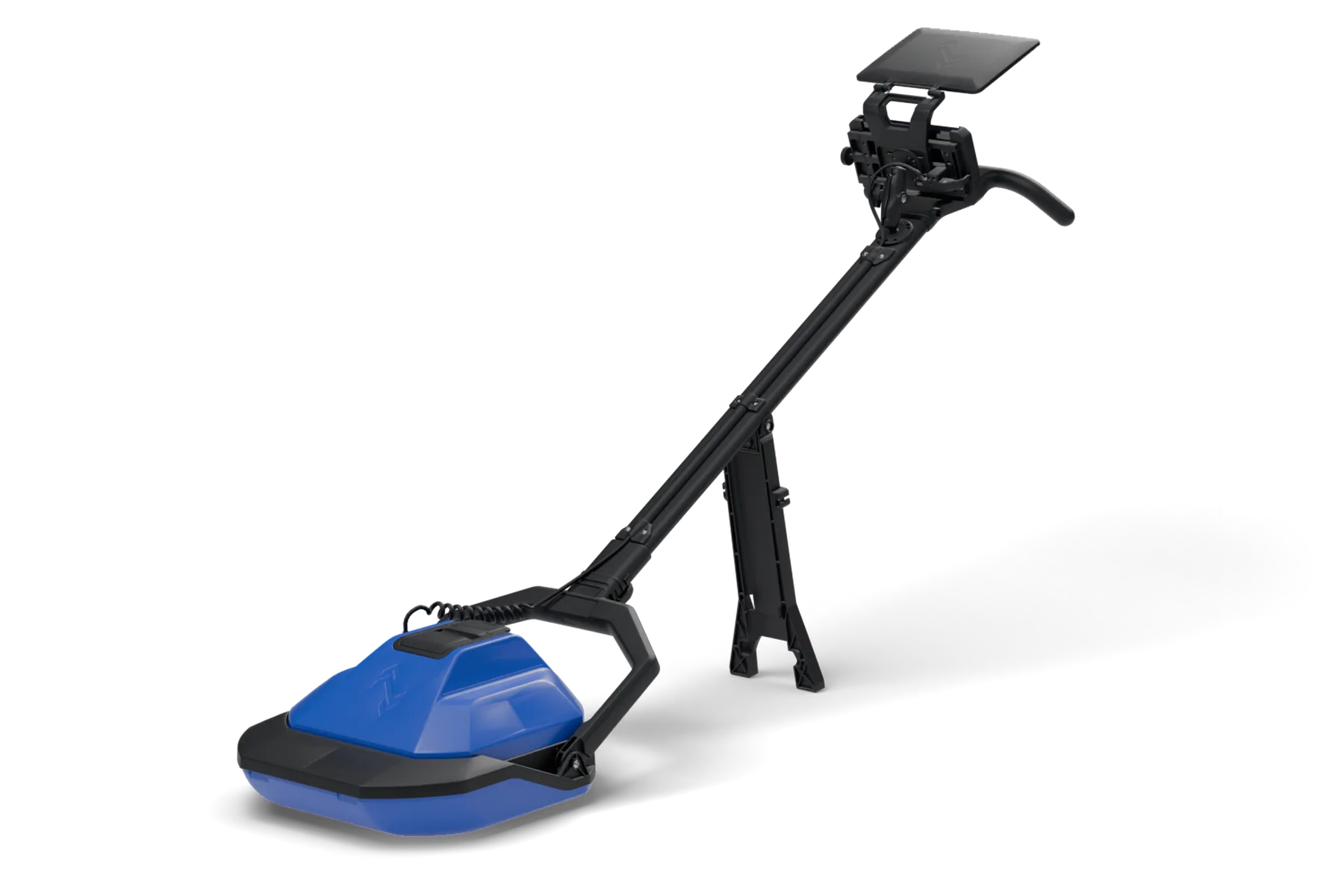
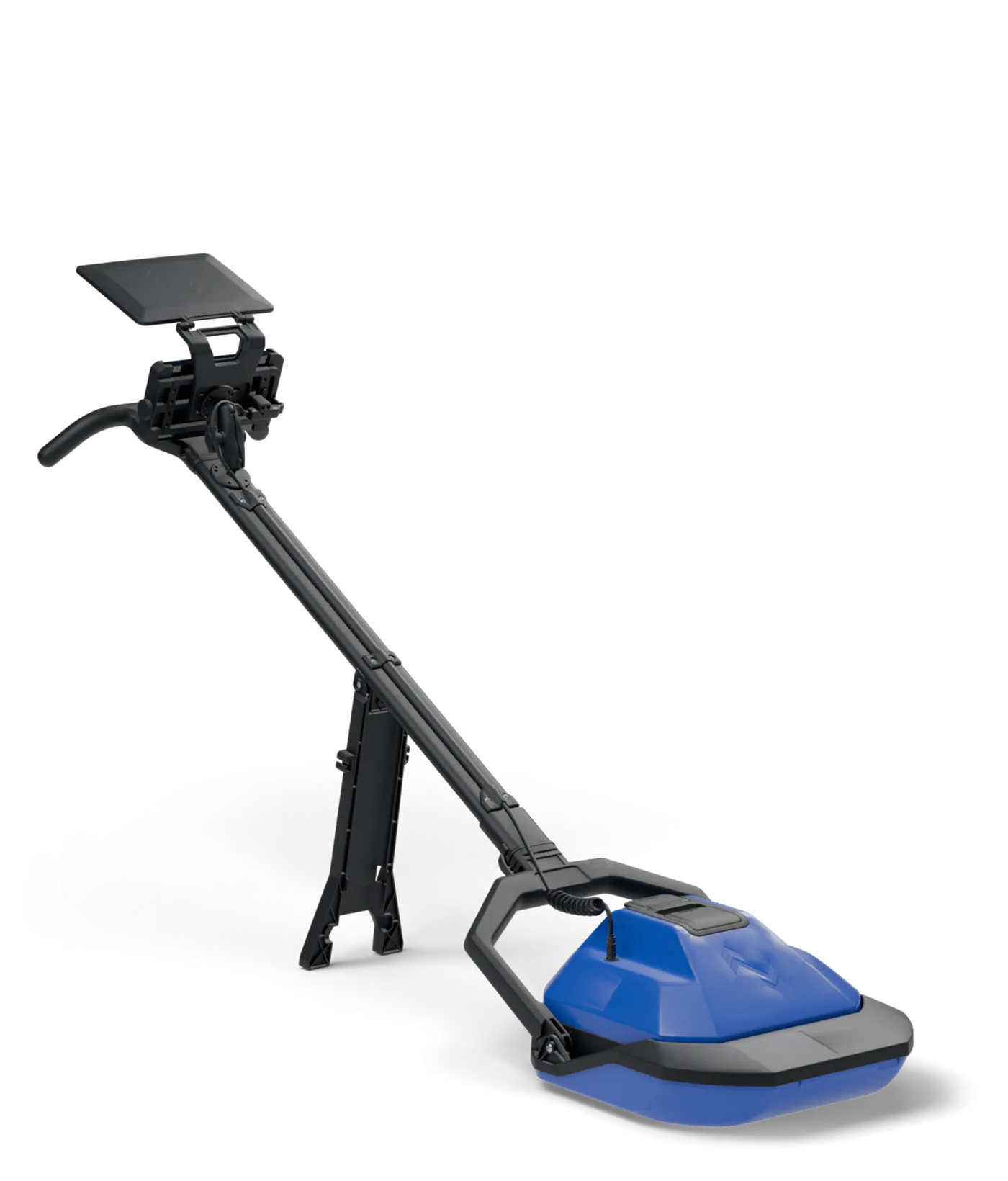
Built to be carried. Under 21 lbs, one-person carry, and it packs into a single wheeled case. Drag the unit to spin it, and hover a part or use the switches to see how it works.
The radar core does the scanning. Fully polarimetric GPR in a housing sealed to IP65 against dust and water. It lifts out of the sled, so the same unit that glides across the surface can go down into the dig.
15 hours on one battery. A single Milwaukee M18 5.0 Ah pack runs the unit for 15 hours of continuous scanning. It slides in behind a clear, sealed door, and swaps in seconds.
Readable in full sun. A 1,200-nit display, IP67 waterproof and MIL-STD-810 drop tested, shows the scan and its targets in seconds. The sun visor shades the screen and folds flat over it for travel.
Stands by itself between scans. The kickstand folds flat against the handle for carrying and storage.
Glides over rough ground. The boat-hull sled rides across dirt, gravel, and pavement, and was wear tested over 18 miles of asphalt. The skid underneath is replaceable, and the sled comes off for tight spots.
Portable: everything in one wheeled case. Unplug the cord, pull the handle and fold the yoke forward. The core and sled drop into foam cut to their outline, with the tablet, a Milwaukee charger and two spare batteries in their own pockets.
Trench mode. The socket on top of the housing swings up and the handle plugs straight into it, cord still connected. It goes down into the trench and into auger holes 18 inches and wider.
Every scan becomes an official record.
Each scan is stored in the cloud, automatically. Back at the office, the Portal shows what was scanned, where, when, and by whom.
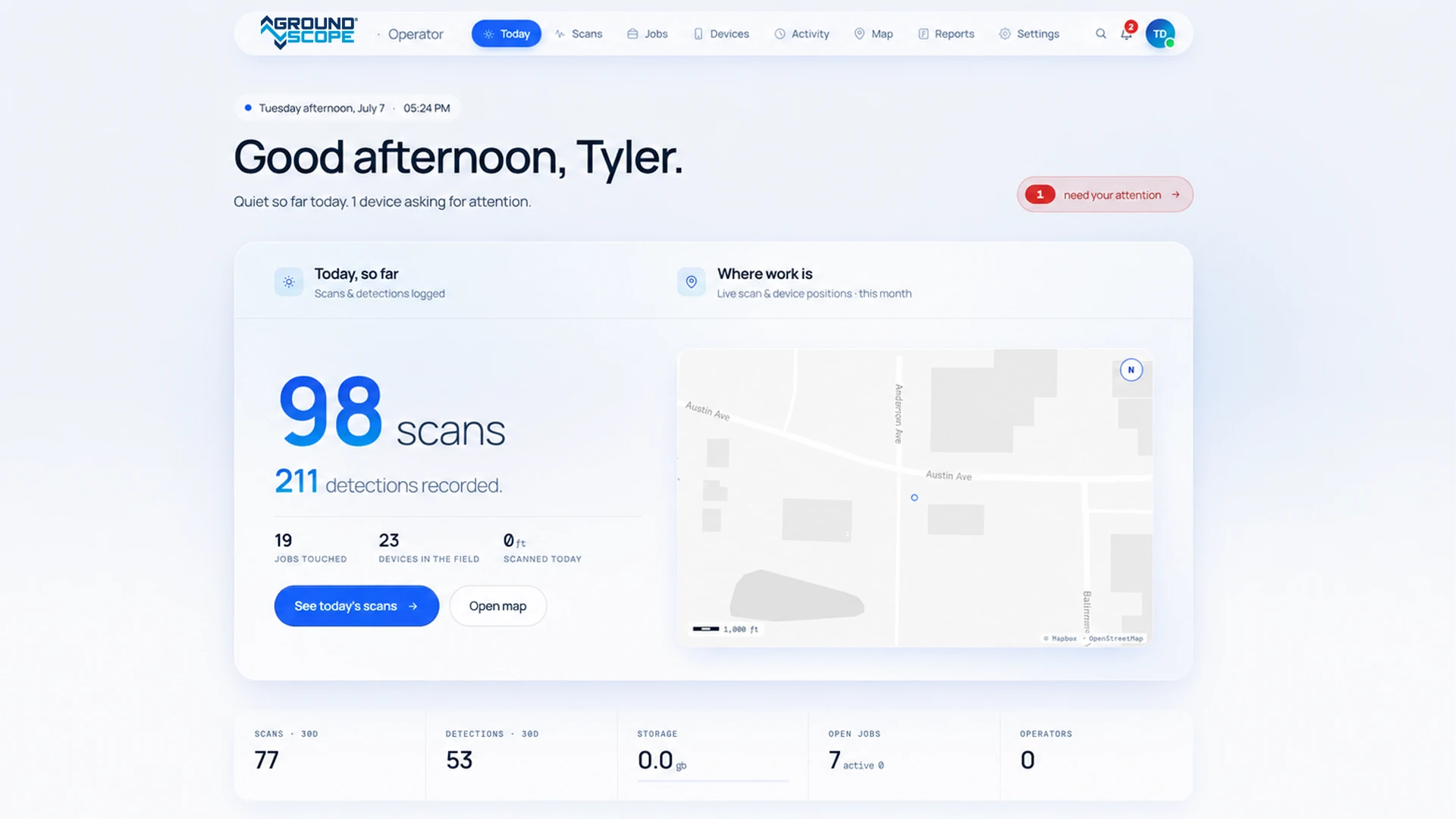
- Position
- The GPS line of the scan, placed on the map
- Date and time
- When the ground was checked
- Operator and unit
- Who ran the scan, and with which GroundScope
- Job
- The project and crew it belongs to
- Detections
- Every target found, and where
- Compliance. Damage-prevention records across every crew.
- Projects and jobs. Build project maps and assign them to field teams.
- Data and reports. Crew and device activity, shared with stakeholders.
Focused on one critical moment.
GroundScope exists to reduce uncertainty at the point of excavation. Crews should not have to guess what is below the surface. They should have clear information before they decide to dig.